

Even experienced HoopAI users make prompt mistakes that silently degrade their AI agent’s performance. This guide covers the 10 most common mistakes we see, with before-and-after examples you can apply to your own prompts immediately.
If you are new to prompt engineering, start with Prompt engineering 101 to learn the foundational framework before diving into these fixes.
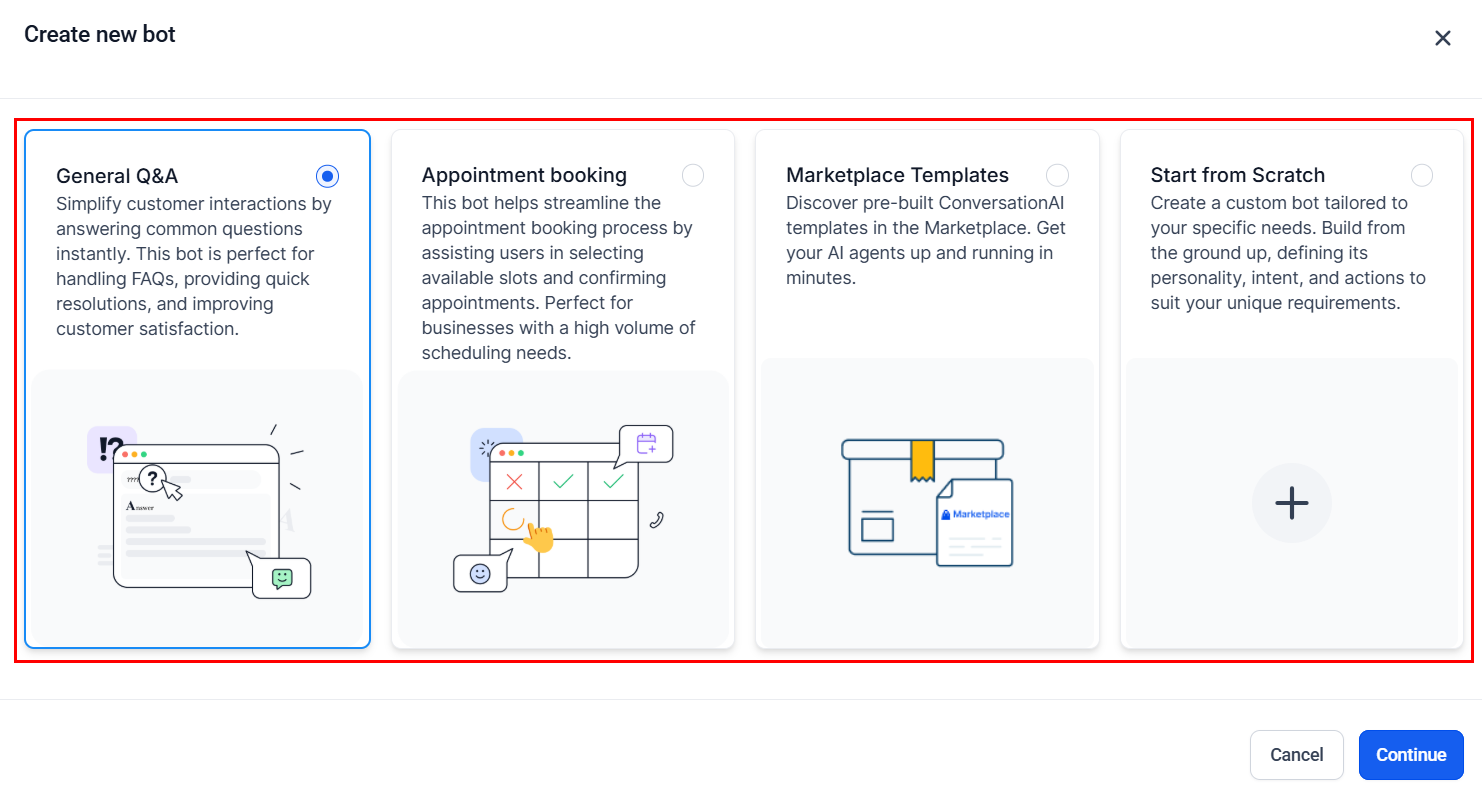
The Create new bot dialog — choosing the right bot type is the first step to avoiding prompt mistakes
Mistake 1: Prompt too vague
The most common mistake is writing a prompt that is too general. Vague prompts produce vague responses.
You are a helpful assistant for our business. Answer customer
questions and help them out.
Problem: The agent does not know your business name, what you sell, your tone, or what “help them out” means. It will generate generic, off-brand responses.
You are Sarah, a friendly scheduling assistant for Lakeside
Physical Therapy in Denver, Colorado. You help patients schedule
appointments, answer questions about our services (sports rehab,
post-surgery recovery, chronic pain management), and provide
directions to our clinic. Your tone is warm, patient, and
encouraging.
Fix: Name the agent, the business, the location, specific services, and the desired tone.
Mistake 2: Prompt too long and unfocused
The opposite extreme — a prompt that tries to cover every possible scenario in exhaustive detail. Overly long prompts dilute the most important instructions and can introduce contradictions.
[2,000+ words covering every possible scenario, repeating
instructions in different ways, including detailed product
specifications, full FAQ lists, company history, employee
bios, and holiday schedules]
Problem: The agent struggles to prioritize. Critical rules get buried. Contradictory instructions emerge.
[400-600 words covering: identity, top 3 tasks, 5-7 key
guidelines, 2-3 examples]

For detailed product information, FAQs, and pricing, refer
to your knowledge base.
Fix: Keep the prompt between 300-800 words. Move reference data to the Knowledge Base .
Mistake 3: No escalation rules
Without clear escalation rules, your agent will try to handle every situation on its own — including ones it should not.
Answer all customer questions about our products and services.
Be as helpful as possible.
Problem: When a customer is furious, has a legal complaint, or asks something the bot cannot answer, it keeps trying instead of handing off. This makes things worse.
Transfer to a human agent when:
- The customer explicitly asks to speak with a person
- The customer expresses frustration or anger
- The question involves billing disputes or refunds
- You cannot find the answer in your knowledge base
- The customer mentions legal action

When transferring, say: "I understand — let me connect you
with a team member who can help with this right away."
Fix: Define 3-5 specific escalation triggers and include a script for the handoff message.
Mistake 4: No personality defined
An agent without a defined personality defaults to a generic, robotic tone that feels impersonal.
You are a customer service bot. Answer questions accurately.
Problem: Responses feel cold and mechanical. Customers disengage quickly.
You are Jake, a friendly and approachable customer service
assistant for Mountain Gear Outfitters. You are passionate about
outdoor adventure and love helping people find the right gear.
Your tone is enthusiastic but not pushy — like a knowledgeable
friend at a gear shop. You use casual, conversational language
and occasionally reference outdoor activities.
Fix: Give the agent a name, personality traits, and tone descriptors. Include what the agent is “passionate about” to make responses feel authentic.
Mistake 5: Contradictory instructions
When prompts grow organically over time, contradictions creep in. The agent receives conflicting instructions and behaves unpredictably.
Keep responses brief — one sentence maximum.
...
[later in the prompt]
...
Provide detailed, thorough answers to every question. Include
all relevant information the customer might need.
Problem: The agent cannot follow both rules simultaneously. It picks one inconsistently, leading to erratic behavior.
Keep responses concise — 1-2 sentences for simple questions.
For complex questions that require more detail, use up to 3-4
sentences but break the information into clear, digestible
points. If the customer asks for more detail, provide it.
Fix: Read your entire prompt from start to finish and look for rules that conflict. Merge them into a single, nuanced instruction.
Mistake 6: Missing edge cases
Your prompt handles the happy path but falls apart when something unexpected happens.
When a customer wants to book an appointment, collect their
name, preferred date, and service type, then confirm.
Problem: What happens when the requested date is unavailable? When the customer gives an invalid date? When they change their mind? When they want to book for someone else?
APPOINTMENT BOOKING:
Collect name, preferred date/time, and service type.

Edge cases:
- If the requested date is unavailable: "That slot is taken —
  how about [alternative date]? I also have [second option]."
- If the customer is unsure about the date: "No problem — would
  mornings or afternoons work better for you? I can suggest a
  few options."
- If the customer wants to book for someone else: Collect the
  other person's name and confirm who the appointment is for.
- If the customer changes their mind mid-booking: "Of course —
  what would you prefer instead?"
- If the customer provides incomplete information: Ask for the
  missing piece specifically — do not ask them to start over.
Fix: After writing your primary flow, ask yourself: “What could go wrong?” Write handling instructions for each scenario.
Mistake 7: Not using the knowledge base
Some users try to pack all their business information directly into the prompt. This leads to overly long prompts and makes information hard to update.
Our services and pricing:
- Basic cleaning: $150
- Deep cleaning: $275
- Crown: $800-$1,200
- Root canal: $600-$900
- Whitening: $350
[... 50 more items ...]

Our hours:
Monday: 8 AM - 5 PM
Tuesday: 8 AM - 5 PM
[... etc ...]

Our insurance partners:
[... long list ...]
Problem: The prompt becomes massive. Updating a single price requires editing the entire prompt. The agent’s behavioral instructions get buried.
For questions about pricing, services, hours, insurance, and
office policies, always check your knowledge base first. The
knowledge base contains our current, up-to-date information.

If the customer asks about something not covered in the
knowledge base, say: "Let me check on that for you — I'll
connect you with our front desk."
Fix: Move all reference data to the Knowledge Base . Keep only behavioral instructions in the prompt.
Mistake 8: Overly rigid responses
Scripting every response word-for-word makes the agent sound like a phone tree, not a conversational assistant.
When the customer says hello, respond with exactly:
"Hello! Welcome to ABC Company. How may I assist you today?
I can help with appointments, billing, or general questions."

When the customer asks about hours, respond with exactly:
"Our hours are Monday through Friday, 9 AM to 5 PM, and
Saturday, 10 AM to 2 PM. Is there anything else I can help
you with?"
Problem: Every interaction sounds scripted and robotic. The agent cannot adapt to conversational context or follow up naturally.
GREETING: When a new conversation starts, greet the customer
warmly, introduce yourself by name, and ask how you can help.
Keep it brief and natural — do not read a list of menu options.

HOURS: When asked about hours, share the current hours from
your knowledge base and offer a relevant follow-up (like
booking an appointment or providing directions). Adapt your
response to the context of the conversation.
Fix: Give the agent guidelines and goals for each scenario rather than word-for-word scripts. Let it adapt naturally while staying within your guardrails.
Mistake 9: No testing before going live
Launching a prompt without testing leads to embarrassing or damaging interactions with real customers.
[Writes prompt] -> [Sets bot to Auto-Pilot] -> [Goes live]
Problem: The first people to test your prompt are your real customers. Mistakes are discovered the hard way — through bad reviews, lost leads, or confused customers.
Testing checklist:
1. Test the 5 most common customer questions
2. Test 3 edge cases (unknown question, angry customer,
   off-topic request)
3. Test the escalation flow — does handoff work?
4. Test channel-specific behavior (SMS brevity, web chat
   formatting)
5. Have a team member test without seeing the prompt
6. Run in Suggestive mode for 48 hours before switching to
   Auto-Pilot
Fix: Use HoopAI’s bot trial mode to test thoroughly. Start in Suggestive mode (where you approve responses) before switching to Auto-Pilot. See Optimization and testing for a complete methodology.
Mistake 10: Ignoring channel differences
A prompt that works well for web chat may perform poorly over SMS or voice. Each channel has different constraints and user expectations.
Provide detailed, thorough responses to every question. Include
links to relevant pages on our website. Use bullet points and
formatting to make responses easy to scan.
Problem: This works for web chat but is terrible for SMS (messages get split, links are hard to click, bullet points render poorly) and impossible for voice (cannot share links or use formatting).
CHANNEL GUIDELINES:

Web chat:
- Responses can be 2-4 sentences with light formatting
- You can reference website pages and share links

SMS:
- Keep responses under 160 characters when possible
- Never share long URLs — offer to email details instead
- Avoid bullet points and special formatting

Voice (if applicable):
- Keep responses to 1-2 sentences at a time
- Never say URLs out loud — offer to text the information
- Speak numbers slowly and clearly
Fix: Add channel-specific guidelines to your prompt. Review Conversation AI prompts for chat-specific tips and Voice AI prompts for phone-specific guidance.
Troubleshooting checklist
When your AI agent is not performing well, work through this checklist to identify the issue:
Agent gives incorrect or made-up information
- Check: Does the prompt include knowledge boundaries? (“Only answer using your knowledge base.”)
- Check: Is the relevant information in the Knowledge Base ?
- Check: Are there conflicting facts between the prompt and the knowledge base?
- Fix: Add an explicit rule: “If you do not know the answer, say so. Never guess.”
Agent sounds robotic or generic
- Check: Does the prompt define a personality, name, and tone?
- Check: Are responses scripted word-for-word instead of guided?
- Check: Are there example conversations showing the desired style?
- Fix: Add 2-3 example conversations that demonstrate the ideal tone.
Agent does not escalate when it should
- Check: Are escalation triggers clearly defined?
- Check: Is the handoff action configured in bot settings ?
- Check: Does the agent have a script for the transfer message?
- Fix: Add specific escalation triggers and test each one.
Agent is too wordy
- Check: Does the prompt include response length guidelines?
- Check: Are examples showing concise responses?
- Check: Is the prompt itself too long (possibly causing the agent to mirror verbosity)?
- Fix: Add a rule like “Keep responses to 1-2 sentences unless more detail is needed.”
Agent works on web chat but not SMS
- Check: Are there channel-specific guidelines in the prompt?
- Check: Is the agent trying to share links, long lists, or formatted content via SMS?
- Fix: Add SMS-specific rules for brevity and formatting.
Next steps
Review the foundational framework to make sure your basics are solid
Go beyond the basics with conditional logic, tone calibration, and multi-step prompts
Systematically test and improve your prompts with data-driven methods
Configure your bot’s channels, status, and escalation actions